INDUSTRY:
TECH & DESIGN
CLIENT:
AUTODESK
YEAR:
2024
EXPERIENCE:
UX DESIGN
Autodesk, Inc. is a globally renowned leader in software solutions for the architecture, engineering, construction, manufacturing, media, and entertainment industries. Weave is Autodesk's design system, providing a framework of reusable components, guidelines, and best practices to ensure consistency and efficiency across all Autodesk products.
Challenge
Goal
My Role
My Responsabilities

design process
The design process to create a new component follows: research, sketches, design, documentation, implementation.
research
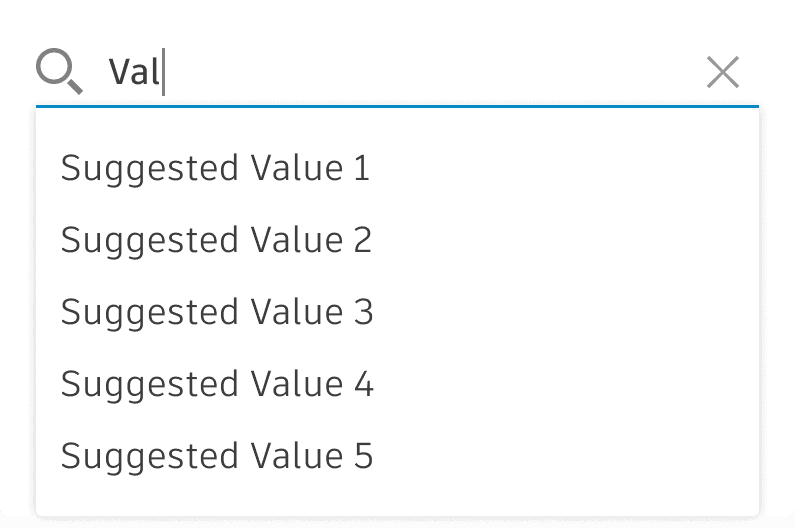
The Autocomplete component is a text input enhanced by a panel of suggested options. To implement this, it was necessary to understand the true needs of the product team with this component. Research involved understanding the component to be implemented and determining which nuances were fit and necessary for product teams.
design
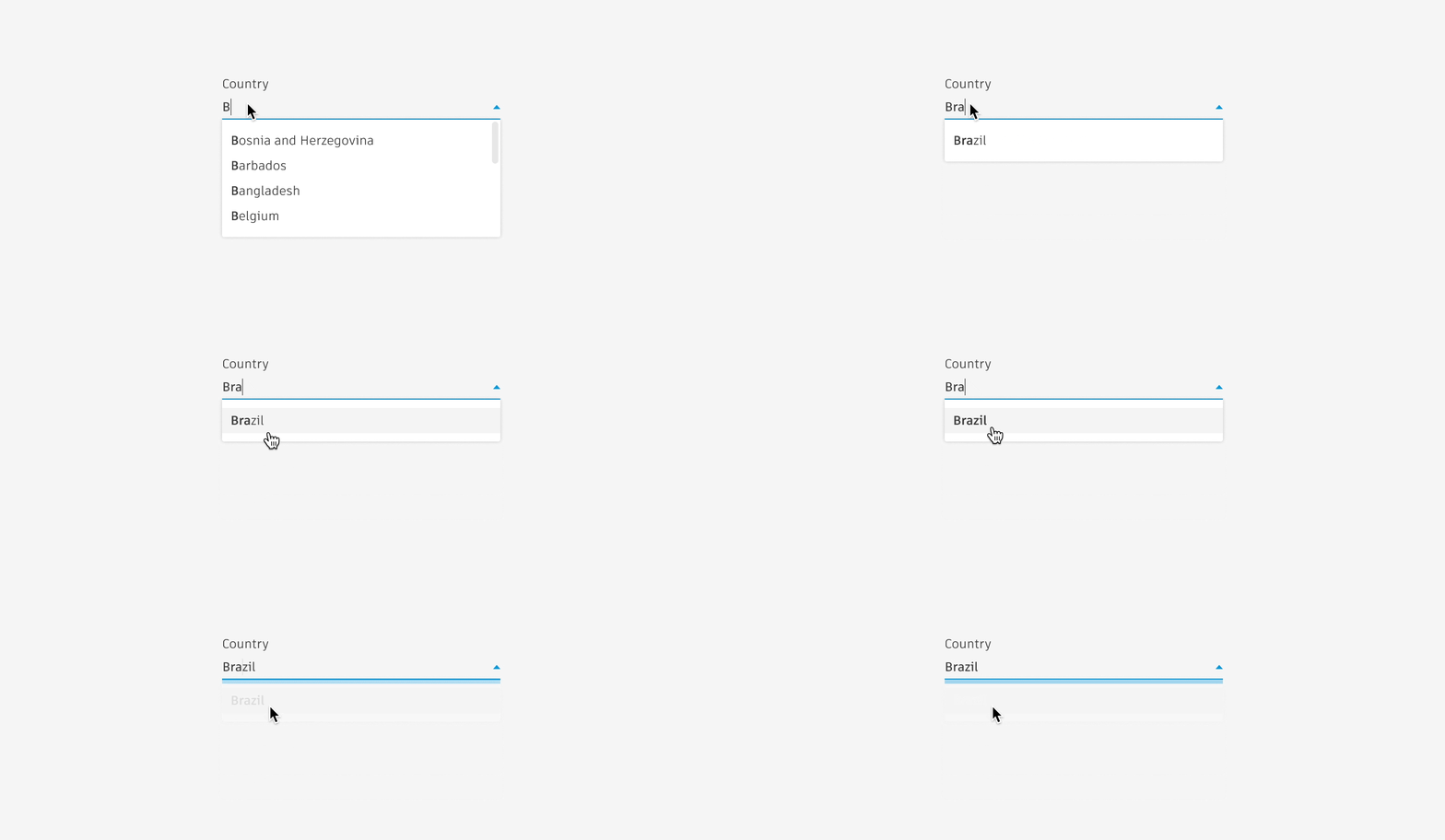
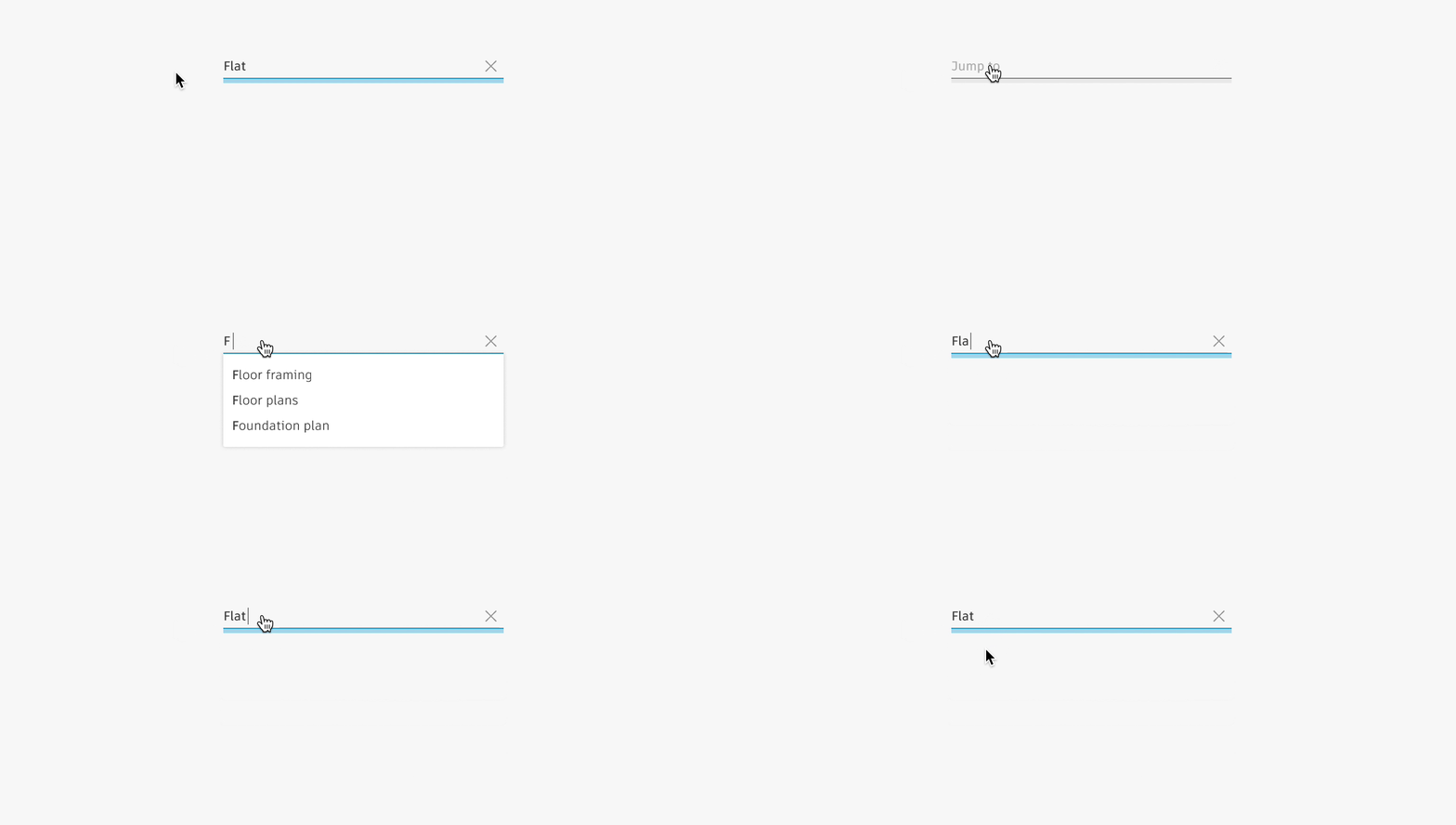
After aligning with the Fusion team, we decided to implement Autocomplete more as a behavior to be added to existing components rather than as a new component itself. Autocomplete would be implemented on text inputs, dropdowns, and search inputs. It was necessary to analyze which features translated into which of our input component. Prototypes were designed to demonstrate the expected behavior of Autocomplete with our components for both the product team and developers to comprehend. A new variable was added to these components in our Figma library.

documentation
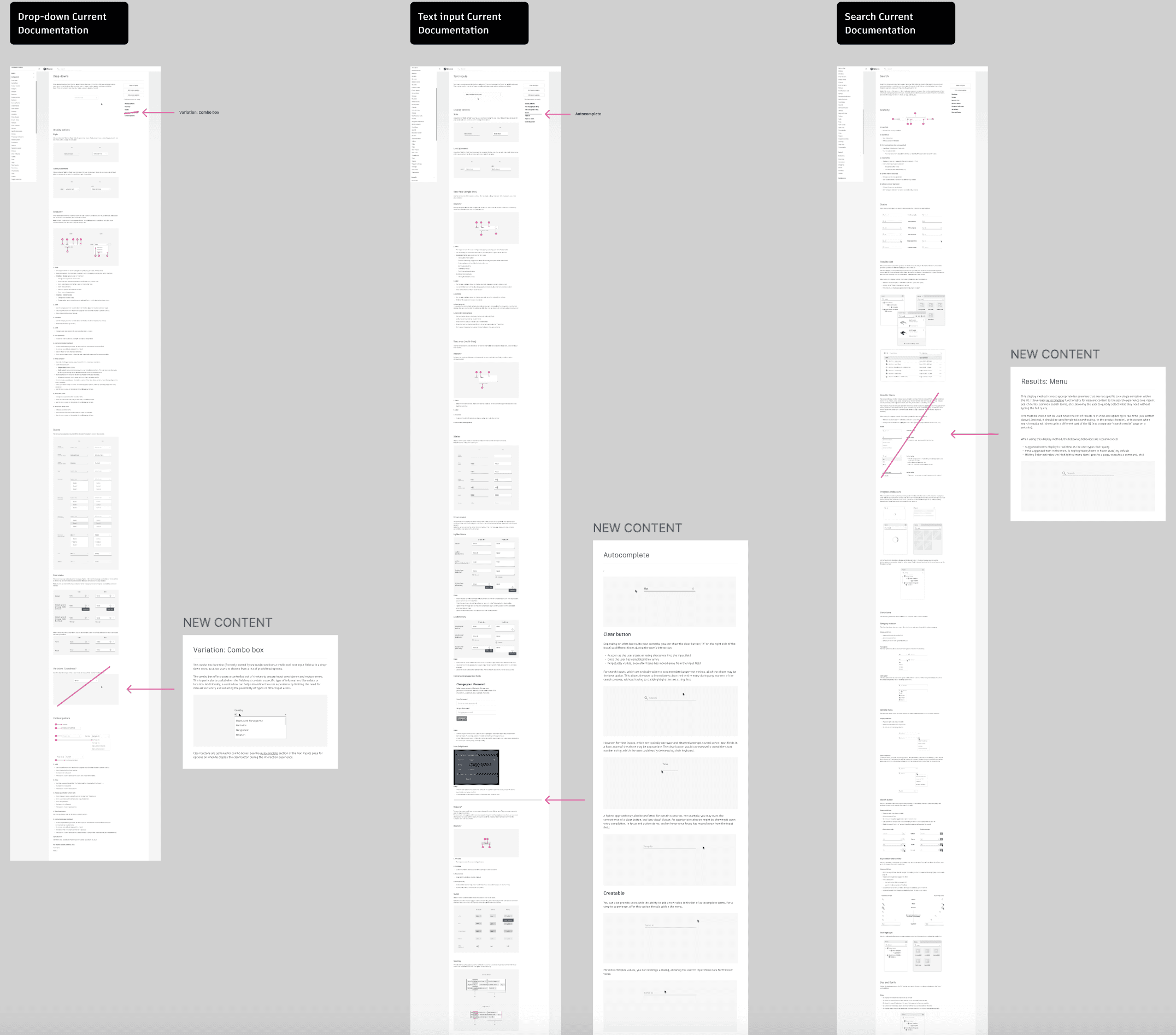
High-fidelity prototypes were turned into GIFs and assisted visually paired with the detailed documentation on the new behavior to be implemented. A section was added into the existing page of text inputs, dropdowns, and search inputs pages explaining the functionality of this new feature.
implementation
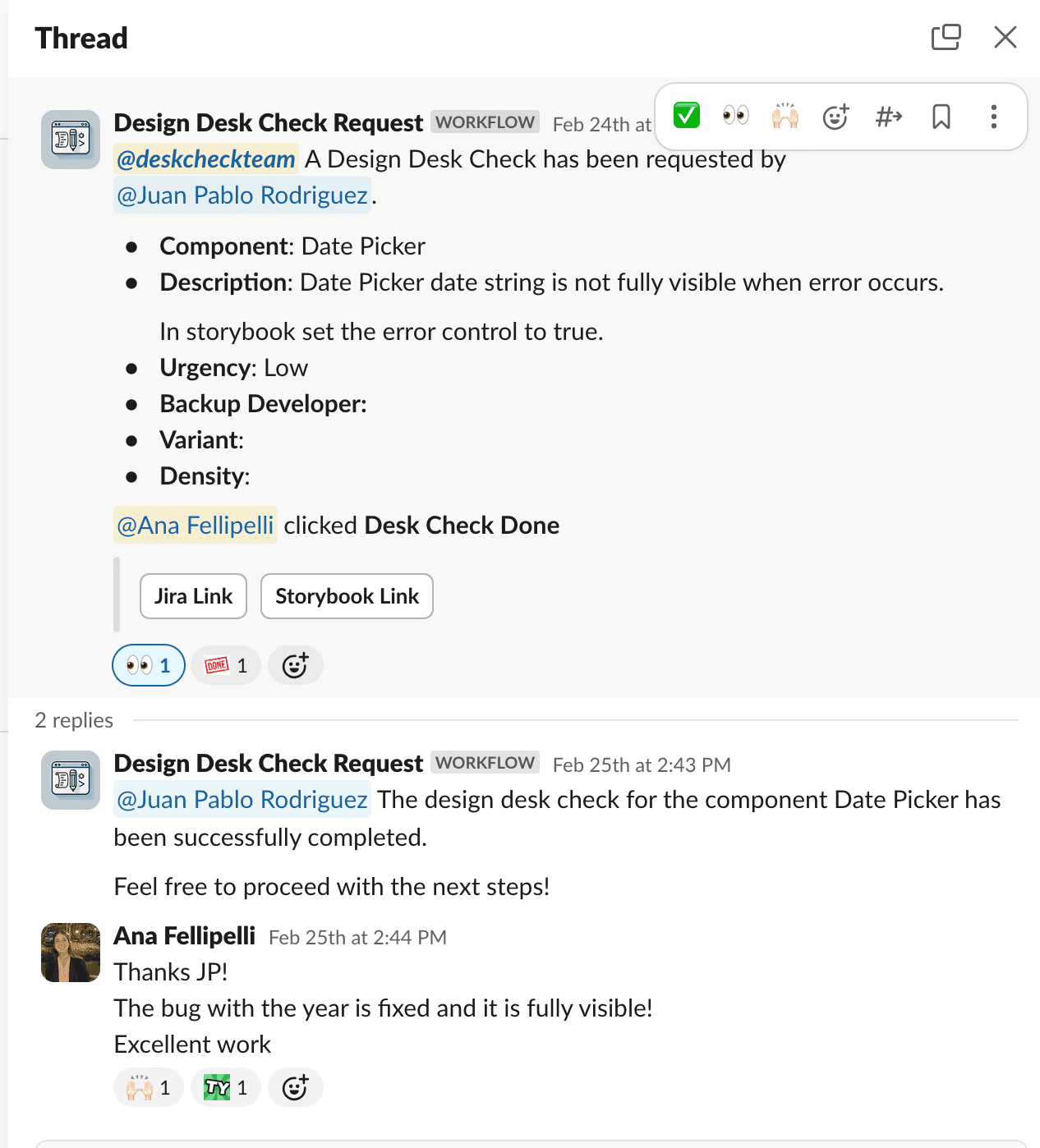
After approvals, we handed off to developers and maintained close communication, assisting with component creation and QA. We implemented a Slack workflow, 'DeskCheck Request,' for developers to specify the review focus (e.g., alignment, colors, behavior). Upon review completion, we clicked “DeskCheck Done” and added comments for required changes on the linked Jira ticket and Slack thread. This streamlined our process efficiently.
Another part of the implementation was uploading the new documentation to the WEAVE website (which is private at the moment). Previously, we added it by code, cloning the repository to our computer through GitHub and uploading the content to the respective page. For this project, we transitioned to Supernova.io. After uploading everything to the website, a content designer reviewed and approved it.
results
We successfully delivered a new behavior to our design system and Fusion team, created full and detailed documentation of every feature both in Figma and on the website, and developed functional behavior for components in Figma and Storybook for product teams to work with and design.